> ## Documentation Index
> Fetch the complete documentation index at: https://docs.syncmygroup.com/llms.txt
> Use this file to discover all available pages before exploring further.
# Slack Usergroup Update Permission
> Slack Usergroup Update Permission
## Slack Usergroup Update Permission
As per Slack Guidelines to update usergroup by third party apps.
\*\*In order to call this method successfully, you'll need to ensure that your workspace settings allow you to manage user groups; otherwise you will receive a \*\*`permission_denied`**error.**
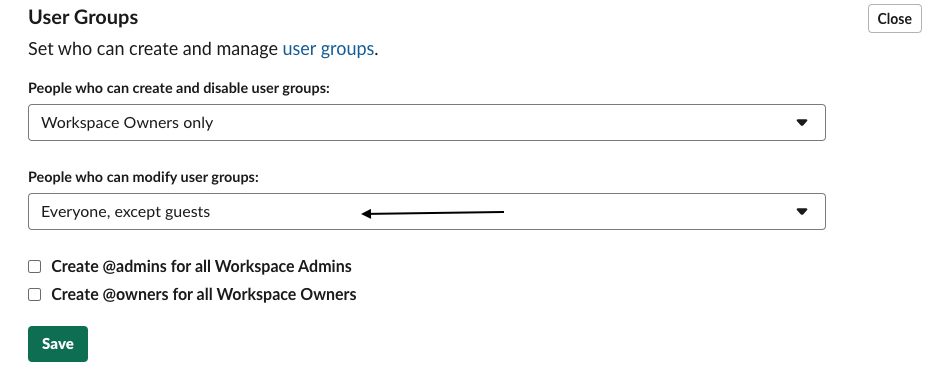
To update this setting, navigate to **Tools & settings > Workspace settings > Permissions > User Groups** within your workspace and update who can create, disable, or modify user groups from the drop-down menus.
If user group permissions cannot be changed and are restricted to admins only, use the user token from a user with the correct permissions. A bot token can be used only if permissions are set to `everyone`.
For Usergroup to work : SyncMyGroup App uses Slack's User Group feature to create an @mention for every Please make sure you have it enabled for everyone in the [workspace settings](https://my.slack.com/admin/settings#user_group_restrictions) .